Blog · · 11 min read
Agent UX patterns for visible, reversible product workflows
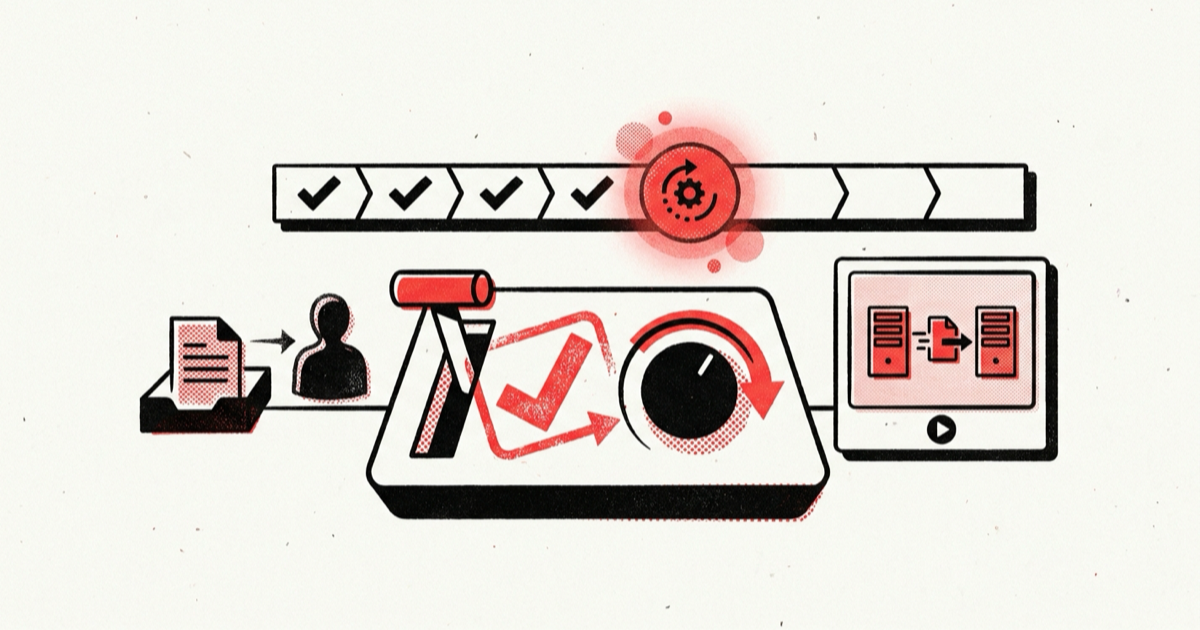
Agent UX patterns break down when chat is the only place users can see an action-taking system work. A run may stay queued, wait for approval, finish only some steps, or remain active after cancellation was requested. If the interface reduces those conditions to a spinner and a final message, users cannot tell what happened or recover safely. This guide gives you a durable product state model for previews, progress, approvals, undo, cancellation, and human handoff. Build the interface around that record and it can show what happened, even after a reload.
Use one durable state model from preview to handoff
Use the agent interface as the control surface for product work. A transcript can remain available, but it should not carry workflow state. The HatchWorks pattern library lists task views, progress controls, action receipts, approval gates, and recovery paths. Each of those surfaces needs to read from the same persisted run record.
Build it in this order:
- Create a versioned preview of the proposed work before execution.
- Persist one run record as the source of truth for user-visible status.
- Translate backend events into a small, explicit state machine.
- Derive available controls from state and committed effects.
- Record approvals against an exact action version.
- Keep cancellation, compensation, and handoff as distinct transitions.
- Verify the visible state against product records after every terminal outcome.
Smashing Magazine's agentic UX patterns organize these interactions into pre-action, in-action, and post-action phases. The sequence above uses the same lifecycle while storing each transition in application state.
Why a chat timeline loses the truth
Treat model responses as narration. The durable record must come from product events. A response may say that work is complete before the last product write commits, summarize several tool calls as one sentence, or omit a failure that the orchestrator handled. Streaming tokens also stop when a browser disconnects, while the run may continue on the server.
The frontend therefore needs product-owned facts:
- what the user authorized;
- which step is active;
- which effects have committed;
- which effects failed or have an unknown outcome;
- whether approval is pending and for which action version;
- whether cancellation has only been requested or has completed;
- whether recovery belongs to the system, the user, or an operator.
Approval runtimes already expose this separation. The OpenAI Agents SDK human-in-the-loop flow pauses execution, exposes pending tool approvals as interruptions, and serializes RunState so a later decision can resume the run. The application must store that pause as product state so the page can render it reliably.
A request for a reusable LangGraph ApprovalNode reports repeated manual interrupt and resume logic and asks for common approve, reject, and modify patterns with structured events. It is practitioner evidence rather than a framework guarantee, and it shows why an ad hoc modal is too little state for this job.
Define the agent UX state table first
Start with a table that names what the user sees, what commands are legal, and what the backend must persist. Do this before drawing screens.
| State | What the user sees | Legal controls | Persisted proof |
|---|---|---|---|
proposed | Intended steps, targets, effects, and risk | Edit, approve, cancel | Immutable action version and preview payload |
queued | Position or scheduling reason | Cancel | Run ID, accepted action version, queue record |
running | Current phase and completed steps | Pause or cancel when supported | Step events and effect ledger |
waiting_for_approval | Exact pending action and consequences | Approve, reject, edit | Approval ID, action version, approver policy |
partially_failed | Completed, failed, and unknown effects separately | Retry safe step, compensate, hand off | Typed outcomes for every attempted effect |
cancelling | Cancellation requested; in-flight work may finish | View details | Cancellation request and active operation |
cancelled | Work stopped and committed effects retained | Compensate or close | Terminal state plus committed effects |
compensating | Recovery action in progress | View details | Compensation commands and outcomes |
compensated | Which effects were reversed or corrected | Close or hand off | Linked original and compensating effects |
handoff_required | Why automation stopped and who owns the next step | Assign, claim, add context | Handoff bundle and ownership state |
completed | Verified outcome and action receipt | Inspect, repeat, undo when valid | Terminal result and product-record verification |
Workflows can omit states they never reach. The names only help when they keep the same meaning across the product. cancelled means future work stopped while committed effects remain. completed means the terminal product invariant passed.
Implement agent UX patterns as a read model
The UI should consume a read model built from durable orchestration and product events. It should not infer state from raw model text.
type RunStatus =
  | "proposed"
  | "queued"
  | "running"
  | "waiting_for_approval"
  | "partially_failed"
  | "cancelling"
  | "cancelled"
  | "compensating"
  | "compensated"
  | "handoff_required"
  | "handed_off"
  | "completed";

type RunCommand =
  | "edit"
  | "approve"
  | "reject"
  | "pause"
  | "cancel"
  | "retry_step"
  | "compensate"
  | "handoff";

interface AgentRunView {
  runId: string;
  actionVersion: number;
  status: RunStatus;
  summary: string;
  currentStep?: { id: string; label: string; startedAt: string };
  completedSteps: Array<{ id: string; label: string; outcome: "ok" | "failed" | "unknown" }>;
  proposedEffects: Array<{ target: string; operation: string; reversible: boolean }>;
  committedEffects: Array<{ effectId: string; target: string; operation: string }>;
  approval?: { approvalId: string; actionVersion: number; expiresAt: string };
  failure?: { code: string; owner: "system" | "user" | "operator"; nextAction: string };
  availableCommands: RunCommand[];
  updatedAt: string;
}
Project events into this shape on the server. The client can subscribe for updates, but it must also be able to reload the current view after a disconnect. Each command should include the run ID, expected action version, and a unique command ID so stale or repeated clicks do not mutate the wrong run.
Show progress without inventing precision
Use a percentage only when the workflow has a known denominator, such as 42 records out of 100 processed. For adaptive work, show named phases, the current step, elapsed time, and completed effects. "Checking permissions" is accurate. "73% complete" misleads users if the agent can still discover more work.
Put the current phase in a short status line. Under it, show completed and active steps in a structured task list. Keep product events and tool outcomes in an expandable activity log. That log should contain user-facing facts instead of hidden chain-of-thought. Store event identifiers and timestamps so support staff can correlate the interface with traces without exposing sensitive prompts.
Make approval bind to an exact action
An approval screen should display the target, operation, material parameters, expected effects, and whether the action is reversible. It also needs an approval ID and action version. If the user edits the plan, expire the old approval and create a new version.
The Microsoft AG-UI approval tutorial demonstrates the necessary correlation across a client and server: middleware converts an approval request into a client tool call, the client returns the decision, and the response is matched back to the original approval ID before execution continues. Your product may use a different protocol, but the invariant is the same. A decision must resolve one known request, not grant a vague permission to continue.
Recheck authorization at execution time because the user, tenant, or target permissions may change while an approved action is paused.
Separate cancel, undo, and compensate
Cancel asks the runtime to stop future work. Undo reverses a specific effect when a true inverse exists. Compensation creates a corrective action when the original effect cannot be erased.
A cancellation request may arrive while an external API call is in flight. Keep the run in cancelling until the runtime knows the outcome. If the call later commits, add it to the effect ledger and offer the appropriate recovery action. Move to cancelled only after the in-flight operation has a known outcome.
Generate undo controls from committed effect metadata rather than adding a universal button. A draft record may have a true delete inverse. A sent email has no true inverse. A payment may require a refund, which is a compensating transaction with its own status and failure path. The implementation also needs idempotent commands; the Make Your Agent guide to safe side effects covers stable action IDs, retries, and compensation in detail.
Treat human handoff as an ownership transfer
A handoff should create a structured work item, not merely display "contact support." Include:
- the user's original goal;
- the accepted action version;
- completed, failed, and unknown effects;
- pending approvals and expiry times;
- relevant product links and safe diagnostic context;
- the reason automation stopped;
- the next allowed commands;
- one explicit owner.
Use handoff_required until a person or queue claims the work, then transition to handed_off. Keep agent execution paused unless the workflow explicitly supports parallel ownership. When the operator resolves the issue, record whether the agent may resume or the run should close.
Walk through a partial-failure example
Consider a support agent that proposes three actions: issue a $75 refund, tag the ticket as resolved, and send a confirmation email.
- In
proposed, the preview lists all three effects and flags the refund for approval. - After acceptance, the run enters
queued, thenrunningwhile it validates the order and current user permissions. - The run enters
waiting_for_approvalwith the amount, order, customer, refund method, action version, and expiry. - The user approves. The refund commits, and the effect ledger records its provider reference.
- The ticket update fails because its version changed. The email is not sent because its content now depends on the unresolved ticket state.
- The run becomes
partially_failed. The UI shows that the money moved, the ticket did not change, and the email was skipped. It offers "retry ticket update" and "hand off," not "run again." - If retry succeeds, the email can proceed and the run can complete. If an operator claims the handoff, the bundle includes the refund reference and the stale ticket version.
The interface now avoids saying "Refund completed" when only one part of the promised outcome is true. It also blocks a full rerun that could issue a second refund.
Handle failure and recovery explicitly
When a tool returns a typed error before committing, show the failed step and offer a retry only when policy permits one.
A timeout after the side-effect boundary creates an unknown outcome. Mark the effect unknown, reconcile it against the provider, and block blind retry.
For a partial failure, list the committed and uncommitted effects. Choose retry, compensation, or handoff separately for each effect.
If approval expires, keep the old decision in the audit record, create a new action version, and ask again. Material input changes must invalidate the earlier approval.
If compensation fails, keep the original and corrective actions visible. Transfer ownership instead of claiming that the workflow is restored.
A lost client connection should follow product policy for continuation or pause. Persist the run either way so a reload reconstructs the same state and controls.
Enforce these transition rules in application code. Reject commands that do not match the current version.
Verify the interface against durable outcomes
State-machine tests should prove that the interface survives retries, stale commands, restarts, and conflicting users before the team polishes animation or copy.
- Reload the page during every nonterminal state and confirm that status and controls are unchanged.
- Deliver the same event twice and confirm that the read model does not duplicate progress or effects.
- Submit an approval for an old action version and confirm that execution is rejected.
- Request cancellation while a side effect is in flight and verify both possible outcomes.
- Force one step to succeed and the next to fail; confirm that the UI never renders
completed. - Fail the compensation action and confirm that the original effect remains visible.
- Claim a handoff from two operator sessions and verify that only one owner wins.
- Reconcile each terminal run against product records, not only the orchestration result.
- Check keyboard focus, live-region announcements, and labels for changing status and approval controls.
Add a product invariant for each terminal state. For example: a completed refund workflow must have one committed refund effect, one matching ticket state, and one notification outcome. The interface can then display completion only after the invariant passes.
Common mistakes
Render status from product events. A sentence such as "I am updating the account" cannot prove that a write started or finished.
A single failed state hides what committed, what failed, what is unknown, and who owns recovery.
Generic approval text such as "Allow agent to continue" hides the target and effect. Bind the decision to one action version.
Stopping a run only prevents future work when possible. Committed effects stay in the ledger and may need compensation.
An undo control needs a real inverse. Name the corrective operation, such as refund, revoke, or restore version.
Replace a bare support link with an owned work item. Give the operator enough state to continue without asking the user to reconstruct the run.
What to do next
Take one action-taking workflow and write its state table before changing the UI. For every state, name the persisted proof, visible message, legal controls, recovery owner, and terminal invariant. Then disconnect the browser halfway through a test run. Ship these agent UX patterns only after the page reloads the same status and controls. Fix the durable read model before adding more autonomy.
References
- OpenAI Agents SDK human-in-the-loop supports the pause, interruption, approval, serialized run-state, and resume behavior used in the approval model.
- Microsoft AG-UI human-in-the-loop supports the client/server approval request, correlation, response, and continuation flow.
- LangGraph ApprovalNode feature request provides practitioner evidence for reusable approve, reject, modify, pause, resume, and structured event patterns.
- HatchWorks agent UX patterns provides competitive coverage of task progress, controls, receipts, approval gates, undo hooks, and recovery.
- Smashing Magazine agentic AI UX patterns supports the pre-action preview, in-action context, post-action audit and undo, escalation, repair, and redress lifecycle.