Blog · · 10 min read
Integrate AI agents into legacy systems without a rewrite
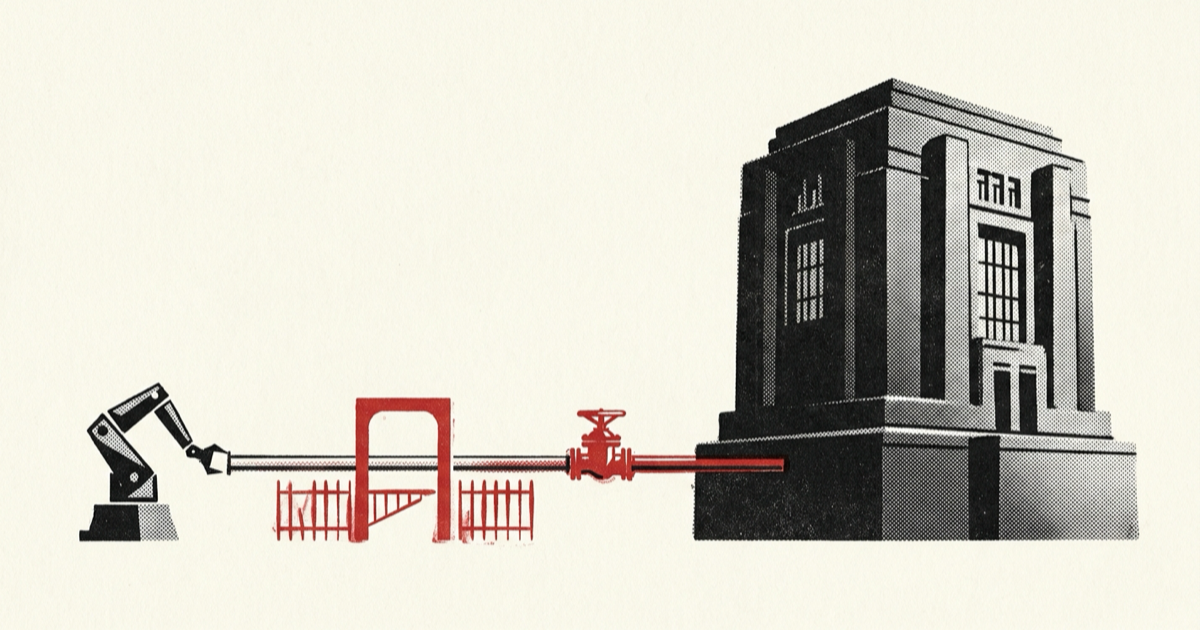
To integrate AI agents into legacy systems safely, leave the existing application in charge of its records and business rules. Add a narrow tool gateway instead of giving the model direct database access, and introduce agent access in stages. An AWS implementation shows an existing REST API exposed as agent tools without changing the application. Connecting the model is the easy part. You still have to control which capabilities cross the boundary, how writes recover, and when the old workflow takes over. A workable retrofit needs all three controls from the start.
Use a coexistence architecture
Use a strangler-style runtime retrofit. The new agent behavior sits beside the old application. Requests cross a controlled boundary, while the legacy system continues to own records, transactions, permissions, and business invariants.
Build the retrofit in six moves:
- Pick one narrow workflow with a measurable result.
- Map its existing business rules and integration surface.
- Wrap capability-sized actions behind a tool gateway.
- Start with read-only calls and shadow comparisons.
- Add approval-gated writes with durable recovery.
- Expand autonomy only after testing the old path and rollback.
That is what "wrap, don't rip" should mean in practice. One independent legacy-modernization guide recommends an orchestration layer above the system of record and staged change. Its high-level model still needs an execution contract for agents: identity, effects, error states, retry rules, rollout gates, and coexistence criteria.
Route each request through these layers:
user or product event
        |
        v
agent runtime and durable run state
        |
        v
tool gateway: schema, policy, budgets, audit
        |
        v
capability adapter: legacy API, queue, service, or UI automation
        |
        v
legacy application as system of record
The gateway translates agent requests into existing product capabilities and rejects anything outside the declared contract. The legacy application remains the authority for business behavior.
Why legacy agent retrofits fail
Teams often combine three different projects under one label:
- using AI to understand or rewrite old source code
- replacing a legacy platform with a new application
- allowing an agent to operate an existing production workflow
The third project is the runtime retrofit covered here, and execution creates its risk. A fluent model can call the wrong capability, use stale context, exceed the current user's permissions, retry an irreversible write, or stop halfway through a multi-step process.
A raw API does not solve those problems. Legacy APIs are usually organized around technical resources such as accounts, orders, or tickets. The agent needs business capabilities such as quote_refund, open_service_case, or schedule_account_review. Broad CRUD endpoints force the model to reconstruct rules that the application already knows.
The boundary also fails when identity disappears. The agent acts for a user, inside a tenant, under a product role, during one run. An adapter that uses one powerful service credential and drops this context can bypass the permissions enforced by the old interface. AWS makes the same point in its retrofit example: expose only selected APIs and prevent the agent from circumventing existing authentication and authorization.
Demos also miss uncertain outcomes. A call can time out after the legacy system commits a write but before the adapter receives the response. A blind retry can repeat the action, while treating the timeout as a definite failure misleads the user. The contract needs an unknown state and a reconciliation path alongside its success and error states.
How to integrate AI agents into legacy systems
Choose a workflow, not a platform
Start with one job that has a clear start, result, owner, and current manual path. The best first candidates have bounded inputs, observable outcomes, and low-consequence read operations. Leave workflows that span several teams, mutate money or access, or rely on undocumented operator judgment for later.
Write a one-page workflow record before choosing a model or framework:
workflow: investigate_failed_invoice
actor_roles: [billing_agent, billing_lead]
tenant_scope: required
system_of_record: legacy_billing
read_capabilities:
  - get_customer_account
  - get_invoice_status
  - list_recent_payment_attempts
write_capabilities:
  - create_billing_note
approval_required:
  - issue_account_credit
success_result: case_has_diagnosis_and_next_action
fallback: open_existing_billing_console
owner: billing_platform
This record creates a hard scope. If the workflow cannot be described this way, it is too broad for the first retrofit.
Inventory the real application boundary
Find the supported integration surface in this order:
- A documented internal or public API.
- A stable service interface or command already used by the product.
- A queue or batch interface with durable acknowledgements.
- A constrained UI automation adapter when no safer interface exists.
AWS shows the API path: convert an OpenAPI-described REST API into tools while leaving the original application unchanged. The OpenAI practical guide similarly describes tools as APIs into underlying applications and notes that computer-use models can serve systems without APIs. Use UI automation only when you lack a safer interface. Put it behind the same adapter contract, limit it to one workflow, and plan for layout changes and ambiguous screen states.
Endpoint names do not tell you the business rules. Interview the operators and read the code paths that currently perform the action. Record the preconditions, permission checks, side effects, concurrency rules, and source of truth for each field.
Build capability-sized tools
A tool should represent one user intent rather than one database table. Give it bounded arguments and a typed result. Keep reads and writes separate, and mark every side effect explicitly.
A useful tool contract includes:
{
  "name": "quote_account_credit",
  "effect": "read_only",
  "actor_context": {
    "user_id": "required",
    "tenant_id": "required",
    "roles": "required"
  },
  "input": {
    "account_id": "string",
    "invoice_id": "string",
    "reason_code": "enum"
  },
  "output": {
    "status": "ok | denied | conflict | retryable | fatal",
    "eligible": "boolean",
    "maximum_credit": "money",
    "policy_reason": "string",
    "record_version": "string"
  }
}
The write tool should require the quoted record version, a stable action ID, and an approval reference. Those fields stop it from turning a read result into an unbounded write or applying an old decision after the account changes.
Keep authorization in application code. The tool gateway can reject a request early, but the legacy application or owning service makes the final permission decision. Pass the real actor and tenant context through the adapter. The model never chooses a role, tenant, or credential.
Separate orchestration from business invariants
The agent may choose which approved capability to call and in what order. Rules such as credit limits, account eligibility, tax calculation, inventory reservation, and access policy stay in deterministic services.
This boundary lets the agent runtime change without changing business behavior. It also lets you replace the legacy service behind the adapter without changing the tool contract. If the contract starts duplicating domain logic, move that logic back into the owning service.
Persist agent run state outside the model conversation and keep it separate from the product records it acts on. Store the workflow ID, actor, tenant, selected tools, arguments, approvals, action IDs, results, and current status. Use conversation text as context and the run store as the transaction log.
Roll out reads before writes
Move from historical data to live reads, then to controlled writes. Each stage should prove a specific part of the boundary before you accept more risk.
Stage 1: replay historical cases
Run sanitized historical inputs through the agent and compare its proposed calls with the actions operators actually took. Measure tool selection, argument correctness, authorization decisions, and final task outcome. Block all external side effects.
Stage 2: shadow live work
Copy eligible live inputs to the agent, record its proposed action, and keep the current workflow in control. Compare at the capability level. The explanation can match while the proposed action, record, or amount is still wrong.
Stage 3: expose read-only assistance
Let users invoke retrieval and diagnosis tools while the old interface remains available. Show sources and record versions so the operator can verify what the agent used. This stage tests identity propagation, data freshness, latency, and interface recovery without write risk.
Stage 4: gate writes with approval
Bind approval to the exact tool name, arguments, actor, tenant, record version, and expiry. Recheck authorization and preconditions after approval. Require action-specific approval rather than a generic confirmation for the agent.
OpenAI's guide recommends human intervention when a run exceeds failure thresholds and for sensitive, irreversible, or high-stakes actions. Keep that gate until normal execution and recovery have enough evidence for a narrower policy.
Stage 5: allow bounded autonomy
Grant autonomy to a named workflow and tool class. Set limits for actions per run, elapsed time, retries, value, affected records, and eligible tenants. Keep a product feature flag that stops new agent runs without disabling the legacy path.
Handle failure and recovery
Define recovery before enabling the first write. At minimum, handle these outcomes:
| Failure | Required behavior |
|---|---|
| Validation or permission denial | Stop and return a stable reason without asking the model to retry |
| Conflict with newer legacy state | Refresh the record and require a new decision or approval |
| Temporary read failure | Retry within a small budget, then surface a recoverable failure |
| Timeout before dispatch | Retry only when the adapter proves nothing was sent |
| Timeout after dispatch | Mark the action unknown and reconcile by stable action ID |
| Partial multi-step completion | Stop, record completed effects, and invoke a defined compensation or operator task |
| Agent exceeds turn or tool budget | Cancel new calls and hand the run to the existing workflow owner |
For every write, create a durable action record before dispatch. Reuse its ID across retries and require the adapter or receiving service to deduplicate it. If the legacy platform cannot accept an idempotency key, the adapter needs a local action ledger plus a reconciliation query that can determine whether the effect occurred.
Preserve the original workflow throughout rollout. The fallback must let an operator finish the same customer task in the old interface while seeing the agent's completed and uncertain effects. Starting over without that context can repeat a write or hide partial work.
Verify the retrofit
Use a release checklist that exercises the boundary and the model response:
- Contract tests reject missing actor, tenant, approval, and record-version fields.
- Authorization tests cover every eligible role, denied role, and cross-tenant attempt.
- Replay tests compare tool names, arguments, and outcomes against historical cases.
- Fault injection covers timeout before dispatch, timeout after dispatch, duplicate delivery, stale approval, and partial completion.
- Shadow metrics distinguish exact matches, safe differences, unsafe differences, and cases the agent correctly refuses.
- Audit records connect the user request, agent run, tool call, legacy transaction, approval, and final product outcome.
- The disable flag stops new agent actions while the legacy workflow remains usable.
- Operators can find
unknownandneeds_humanruns and complete them without database repair.
Promotion requires evidence for one workflow. Track unauthorized actions, duplicate writes, unresolved unknown outcomes, task completion, latency, and operator recovery time separately. A large number of easy successes cannot cancel out one dangerous failure.
Keep both paths until the agent has survived schema updates, credential rotation, worker restarts, and a legacy deployment. Remove an old screen or manual step only after the agent path covers the same permissions and recovery behavior, operators have tested the exception path, and rollback no longer depends on that component.
Common mistakes
- Publish only the capabilities required for the selected workflow. A large tool catalog creates ambiguity and expands the permission surface.
- Carry the user's identity and tenant scope through any service credential. The owning service must still enforce the action.
- Keep credit limits, approval policy, and eligibility checks out of prompts. Enforce them in deterministic code with versioned tests.
- Start with read-only and shadow stages so schema, identity, latency, and data-quality defects appear before they create side effects.
- Apply the same contract, permission checks, budgets, audit trail, and recovery states to UI automation that you apply to an API adapter.
- Keep the old path until the retrofit has proved normal operation, failure recovery, and rollback.
What to do next
Choose one production workflow and complete the YAML record in this guide. Implement only its read capabilities behind a tool gateway, then run historical replay and shadow mode before requesting write permission. If the team cannot name the system of record, actor, tenant, fallback owner, and recovery path, fix the boundary first. That is the safest way to integrate AI agents into legacy systems without turning a retrofit into an uncontrolled replacement project.
References
- AWS: Enabling AI agents to interact with existing applications supports the OpenAPI-to-tool retrofit, selective API exposure, preserved authorization, and incremental capability expansion.
- SimplyAsk: How to modernize legacy systems with AI supports the observed "wrap, don't rip" language and staged coexistence approach. It is an independent vendor perspective, not a neutral specification.
- OpenAI: A practical guide to building agents supports using tools for underlying application access, computer use when APIs are unavailable, and human intervention for failure thresholds and high-risk actions.