Blog · · 11 min read
Computer use agent security for browser-only legacy software
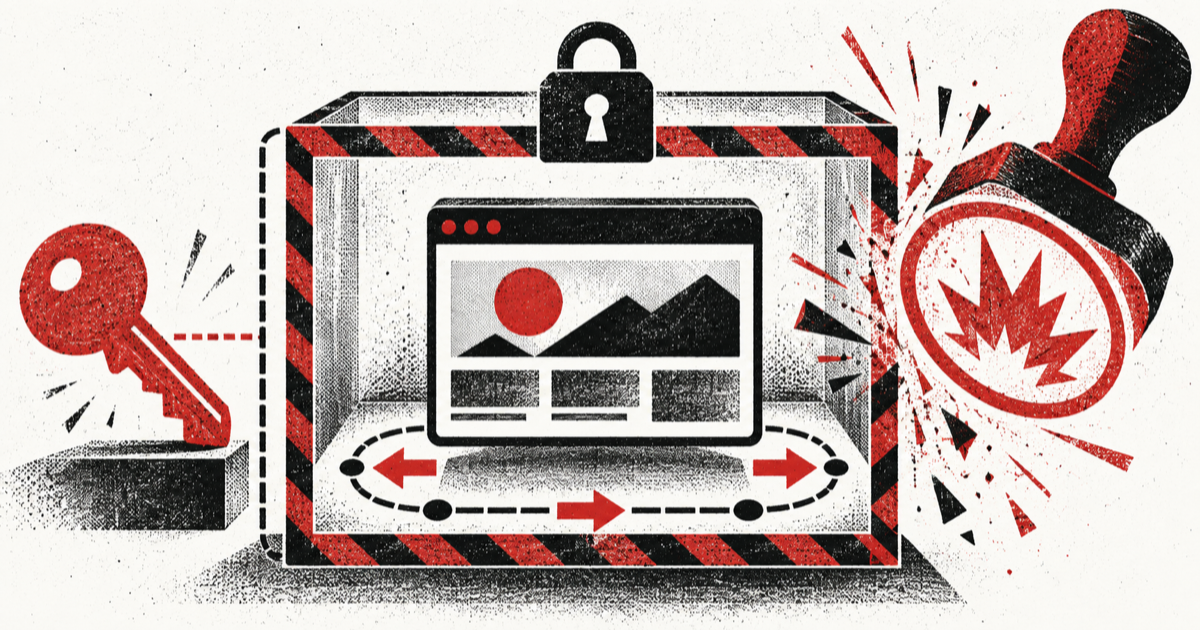
Computer use agent security breaks down when a product treats a browser like an ordinary model tool. A run may inherit a staff member's cookies, expose credentials in model context, obey hostile page text, submit a consequential form, download an unsafe file, or leave an authenticated profile behind after cancellation. A stricter system prompt cannot enforce that boundary. The product has to do it: admit only tasks that need a UI, lease an isolated browser per user and run, broker secrets outside the model, constrain navigation and actions, verify effects, then destroy the environment.
Put computer use behind an admission gate
A browser should be the last integration option, not the default. Start by classifying the requested capability:
- Use the product's existing API when it exposes the required business operation with reliable authorization and outcomes.
- Add a narrow adapter when the target has an undocumented but stable machine interface that your organization is allowed to use.
- Use deterministic UI automation when selectors and steps are stable and no model judgment is needed.
- Use computer use only for the residual work that requires visual interpretation, dynamic navigation, or mixed human-oriented interfaces.
- Route the task to a person when the target cannot be constrained or the effect cannot be verified.
legacy-use describes UI-driven access to ERP, accounting, planning, and other legacy systems. It shows why teams reach for browser automation, but it does not make every implementation safe. The admission record should say why an API or deterministic path could not handle the task, which target is allowed, and what outcome the product expects.
This gate prevents an agent from opening a browser for work that already has a smaller, more testable boundary. It also gives the platform team a migration list. When a repeated browser task becomes stable, replace it with a capability-sized adapter instead of accepting permanent UI fragility.
Why the browser is a security boundary
A browser carries more authority and state than a function schema reveals. Its profile can contain cookies, local storage, extensions, open tabs, downloaded files, autofill data, and access to internal sites. The rendered page is both data and an instruction surface. A model can observe text written by an attacker and then choose a tool action based on it.
Official model guidance treats this as an execution-boundary problem. OpenAI recommends an isolated browser or virtual machine, bounded sites and accounts, no inherited host environment variables, human review for high-impact actions, and treating page content as untrusted. Anthropic likewise recommends sandboxing, domain allowlists, limited sensitive-data access, and confirmation for consequential or consent-bearing actions.
Repository reports show what those warnings mean in product code. A Cua issue reports a driver reusing an existing Chrome process and personal profile, including its cookies, tabs, storage, extensions, and settings. A Browser Use issue reports that a shared session could not isolate cookies and storage for multiple users. These are author reports, not prevalence measurements, but both provide concrete regression cases.
Enforce identity, destination, action, artifact, and lifecycle controls outside model reasoning. The model can propose a click, but it cannot decide whether the browser lease belongs to the right user or whether the proposed effect is allowed.
Define one leased browser contract
Create an immutable lease before launching the browser. Bind it to one product principal, tenant, run, target, purpose, policy version, and expiry. Never let the orchestration layer attach to whichever browser happens to be available.
type BrowserLease = {
  leaseId: string;
  runId: string;
  tenantId: string;
  principalId: string;
  targetSystem: string;
  allowedOrigins: string[];
  allowedSchemes: Array<"https">;
  allowedActions: Array<"observe" | "stage" | "commit">;
  credentialRef?: string;
  downloadPolicy: "deny" | "quarantine";
  expiresAt: string;
  policyVersion: string;
};

type BrowserEffectReceipt = {
  runId: string;
  actionId: string;
  targetSystem: string;
  effectClass: "read" | "reversible_write" | "irreversible_write";
  proposedAt: string;
  approvedBy?: string;
  observedOutcome: "verified" | "failed" | "unknown";
  evidenceRef: string;
};
Allocate a new browser process or virtual machine and a new profile directory for each lease. If your risk model allows reuse within one user's active run, make that exception explicit and prevent concurrent attachment. Delete the profile, browser process, clipboard, temporary files, and credential handles when the lease completes, expires, is cancelled, or loses its owner.
Microsoft Research's OmniParser V2 implementation uses a Docker sandbox and documents threat modeling and human oversight. A container is a useful mechanism, but the lease is the product contract around it. The lease decides who owns the environment, what it can reach, and when it must disappear.
Run the workflow in seven controlled steps
Use the same sequence for every browser-only target:
- Resolve the current user and tenant. Check that the requested business action is allowed before starting the browser.
- Try an API or deterministic adapter first, and record why computer use is necessary.
- Create the isolated environment, ephemeral profile, network policy, storage limits, deadline, and cancellation handle.
- Ask a trusted credential broker to populate named login fields or complete an approved authentication flow. Keep secret values out of the model transcript.
- Let the model navigate and prepare an action inside the allowed target. Capture the proposed effect in canonical product terms.
- Before committing, recheck current authority and target state. Require human confirmation when the action is consequential, consent-bearing, difficult to reverse, or outside a preapproved low-risk class.
- Read the resulting state through an independent page, API, receipt, or product record. Store an effect receipt, revoke credential handles, terminate the environment, and report verified, failed, or unknown.
Isolation without action policy still permits an authorized browser to do the wrong thing. Action policy without cleanup can leave reusable authenticated state. The boundary needs both, along with durable cancellation and effect verification.
Broker credentials without exposing secret values
The model should know that a login capability exists, not the password or token behind it. A trusted broker can resolve a short-lived credential reference after the browser lease passes policy checks, then inject values directly into named fields or an authentication channel.
A Browser Use secrets-manager request reports that login secrets otherwise had to be placed in the task. Treat that as a design failure to test against. Reject tasks that contain raw passwords, session cookies, private keys, or one-time codes in model-visible text.
The broker should:
- Bind each credential handle to the principal, tenant, lease, target origin, and expiry.
- Permit only the authentication operation, not arbitrary secret retrieval.
- Prevent screenshots, traces, clipboard capture, and logs from recording secret values.
- Revoke the handle when the lease closes or authorization changes.
- Require a fresh user step for authentication factors that policy says cannot be delegated.
Do not copy a user's everyday browser profile into the sandbox as a shortcut. That imports unrelated authority and makes cleanup ambiguous. Create a target-specific session under the lease instead.
Enforce navigation and artifact policy independently
A hostname allowlist is necessary but incomplete. The policy layer should validate the full navigation event, including scheme, resolved origin, redirects, popup creation, new tabs, downloads, uploads, and links opened by scripts. Block local files, browser settings, extension pages, loopback services, metadata endpoints, and non-HTTPS schemes unless a reviewed target contract requires one.
An open Browser Use issue describes a data: and blob: URL path around an allowed-domain check. The report is an author's reproduction, not an independently confirmed vulnerability. It still supplies a useful negative test: a permitted page must not be able to move sensitive content into an ungoverned scheme and then trigger an outbound request.
Treat screenshots, DOM text, accessibility-tree data, clipboard contents, uploads, and downloads as untrusted artifacts. Store downloads in quarantine, scan them with the product's ordinary controls, enforce type and size policy, and expose only an approved artifact reference to later steps. Never mount a developer's home directory or a production source checkout into the browser environment.
A browser-agent architecture paper argues for specialized programmatic constraints because prompt injection makes unconstrained general browsing unsafe. That supports enforcing navigation and artifact rules in code. A system prompt can explain the rules to the model, but the harness must enforce them.
Make consequential actions explicit
Classify each browser interaction as observe, stage, or commit.
observereads state without changing the target.stagefills fields, prepares a draft, or selects options without submitting the effect.commitsends, purchases, deletes, publishes, transfers, accepts terms, or otherwise changes authoritative state.
The model may perform approved observe and stage actions within the lease. Before commit, convert the visible UI state into a canonical proposal containing the target, action, important arguments, expected effect, reversibility, and expiry. Recheck the user's current authority. Compare the target's current state with the state used to prepare the proposal. Ask for confirmation when policy requires it, then bind the decision to that exact action version.
A security practitioner has demonstrated a GUI-delivered social-engineering and prompt-injection path against a computer-use workflow. The report also notes that an isolated host can still contain sensitive state. Treat this as practitioner evidence for hostile-page tests, not as a measured failure rate. A commit boundary limits what a successful manipulation can cause even when the model misreads the page.
Handle cancellation, failure, and recovery
Browser work can fail after an external effect but before the agent observes confirmation. Do not translate every timeout into failed. Use verified, failed, and unknown outcomes.
When cancellation arrives, stop new observe and stage work immediately. If a commit may be in flight, mark cancellation as pending and reconcile the target before declaring the run cancelled. If the effect committed, record it and offer the product's ordinary compensation or human handoff path. If the result is unknown, quarantine the browser lease from further writes and assign recovery ownership.
Persist enough information to resume safely without preserving the whole browser profile: lease identity, target contract version, current action version, completed receipts, pending proposal, credential reference, last verified target state, cleanup state, and recovery owner. A resumed run should allocate a fresh environment and reauthenticate. It should not revive a crashed profile with uncertain contents.
Cleanup must be idempotent. Repeated termination requests should converge on no browser process, no active credential handle, no mounted temporary storage, no pending download, and one final cleanup record.
Verify the browser boundary with negative tests
Test the product boundary, not only task success. Build a matrix that proves:
- Two users running the same target cannot observe each other's cookies, storage, tabs, downloads, screenshots, or traces.
- A run cannot attach to a staff member's existing browser or default profile.
- Raw credentials never appear in model input, output, traces, screenshots, clipboard logs, or error messages.
- Redirects, popups,
data:URLs,blob:URLs, local files, loopback addresses, and blocked origins fail closed. - Hostile page text cannot expand the allowed destination, action class, credential scope, or artifact access.
- Commit actions require the expected policy decision and exact action version.
- Expired approval, changed authority, changed target state, and duplicate commit requests do not execute stale work.
- Downloads remain quarantined until type, size, and scanning policy pass.
- Cancellation during navigation, staging, submit, and result polling produces a truthful effect status.
- Lease expiry and process crash revoke credentials and remove the profile and temporary storage.
- An independent read confirms the claimed effect before the run reports success.
- The same workflow can fall back to a deterministic adapter or human owner when the browser policy rejects it.
Track both task outcome and boundary outcome. A run that failed to finish but preserved isolation and produced a truthful receipt is different from a run that appeared successful while bypassing policy.
Avoid the common shortcuts
- Do not reuse one shared browser across tenants. Pool clean processes or images if needed, but create a fresh profile and lease for each run so storage and cookie ownership stay clear.
- Do not rely on a domain allowlist alone. It misses schemes, redirects, popups, downloads, and browser-internal targets.
- Do not pass credentials in the task, where they become part of model-visible state and often part of tracing. Use a brokered handle.
- Do not treat every click as equivalent. The policy must distinguish reading a page from committing a business effect through observe, stage, and commit classes.
- Do not accept the model's final sentence as proof of success. Verify the target state independently and write an effect receipt.
- Do not keep the browser alive after a timeout when its authority and state are uncertain. End the lease, clean it up, and start recovery in a fresh environment.
What to do next
Choose one browser-only workflow that currently requires a person. Write its admission rule, allowed origins and schemes, credential-broker contract, observe-stage-commit action map, download policy, effect verifier, cancellation behavior, and lease cleanup assertions. Then run the twelve negative tests above before granting write access. Computer use agent security is ready for production only when the product can prove who owned the browser, what authority it carried, which effect occurred, and that no reusable session survived the run.
References
- OpenAI: Computer use supports isolation, bounded access, untrusted-content handling, and human review for high-impact actions.
- Anthropic: Computer use tool supports sandboxing, domain controls, limited sensitive-data access, and confirmation for consequential actions.
- Microsoft Research: OmniParser V2 provides a sandboxed computer-use implementation and safety reference.
- Building Browser Agents: Architecture, Security, and Practical Solutions supports programmatic constraints for browser agents exposed to prompt injection.
- AI ClickFix: Hijacking Computer-Use Agents is a practitioner demonstration of GUI-delivered social engineering and prompt injection against computer use.
- legacy-use provides direct use-case evidence for agent access to API-less legacy software.
- Browser Use issue #3091 is an author report about multi-user cookie and storage isolation.
- Cua issue #1377 is an author report about reusing an existing browser process and personal profile.
- Browser Use issue #205 is an author request for a secret-management boundary around browser login.
- Browser Use issue #4763 is an open author report of a scheme-based allowed-domain bypass and exfiltration scenario.